To organize receipts, images, and appraisals smartly, digitize everything using high-quality scanners or mobile apps. Save files in clearly labeled folders, categorized by date, type, or project. Use cloud storage services like Google Drive or Dropbox for easy access from anywhere. Enable automatic backups and secure sensitive files with encryption. Leveraging OCR technology makes documents searchable, saving you time. Keep an organized digital system, and you’ll discover more tips for streamlining your record management.

Get furniture and decor delivered free — and shop member deals
- Fast, free delivery on millions of items
- Access to Prime Big Deal Days deals on October 6–7
- Prime Video, Amazon Music and more included
Key Takeaways
- Digitize all receipts, images, and appraisals using high-resolution scans or mobile apps for easy access and storage.
- Categorize files by date, type, or project with clear folder labels for quick retrieval.
- Use cloud storage services like Google Drive or Dropbox for secure, accessible, and shareable organization.
- Apply consistent naming conventions and OCR technology to make searching and indexing efficient.
- Enable automatic backups and encrypt sensitive files to ensure data security and prevent loss.
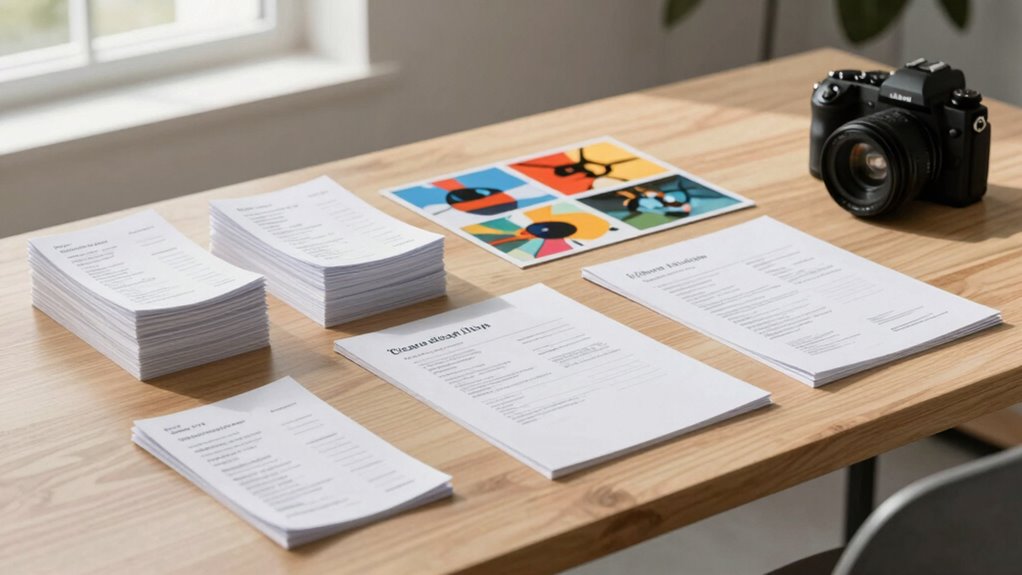
Keeping track of receipts, images, and appraisals can quickly become overwhelming, especially if you rely on paper records or scattered digital files. To stay organized and avoid chaos, embracing digital archiving is your best move. Digital archiving allows you to store all your important documents in a centralized, easily accessible location. Instead of rummaging through piles of paper or searching through countless folders on your computer, you can create a streamlined system that consolidates everything into organized categories. This not only saves time but significantly reduces clutter, making your workspace and digital environment more manageable.
Digital archiving keeps your important documents organized, accessible, and clutter-free, simplifying your record-keeping process.
By digitizing your receipts, images, and appraisals, you cut down on physical clutter and free up space. Use a scanner or a good-quality mobile app to capture high-resolution images of paper documents. Once digitized, categorize these files by date, type, or project, and save them in clearly labeled folders. Cloud storage services like Dropbox, Google Drive, or OneDrive make it easy to access your files from anywhere, ensuring you’re never locked out of important documents. This method simplifies record-keeping and reduces the risk of losing valuable information amidst a sea of paper clutter. Incorporating digital archiving practices can further enhance your organization by enabling quick retrieval and improved data management. Implementing consistent naming conventions for your files can also streamline searching and sorting processes.
Another advantage of digital archiving is the ease of backup and security. Paper documents are vulnerable to damage, loss, or theft, but digital files can be backed up automatically to multiple locations. Use encrypted storage options or password-protected folders for sensitive appraisals or financial receipts, ensuring your information stays safe. Additionally, many apps now offer automatic OCR (optical character recognition), which makes your digitized documents searchable by keywords. This feature saves you the trouble of manually sorting through files or trying to remember where you stored a specific receipt or appraisal. Creating a dedicated digital storage system can help keep your files organized and prevent misplacement. When you combine this with regular backups, your records will remain safe even in the event of hardware failure or cyber threats. Implementing a consistent system for digital archiving not only reduces clutter but also streamlines your workflow. When you need to verify a purchase, claim an insurance benefit, or review an appraisal, you’ll find what you need instantly. No more digging through piles or lost files. Plus, organizing receipts and images digitally encourages better record-keeping habits, helping you stay compliant with tax regulations or insurance requirements.
Ultimately, digital archiving is a smart move toward clutter reduction and efficient record management. It keeps your important documents safe, accessible, and easy to organize, freeing you from the chaos of physical storage. With a little effort upfront, you’ll enjoy a cleaner, more organized digital environment that simplifies your life.
high-resolution document scanner
As an affiliate, we earn on qualifying purchases.
As an affiliate, we earn on qualifying purchases.
Frequently Asked Questions
How Long Should I Keep Digital Copies of Receipts?
You should keep digital copies of receipts for at least one year, but consider maintaining a digital backup for up to seven years if they relate to taxes or warranties. Storage longevity varies depending on your backup method; cloud storage offers longer-term security, while external drives need regular updates. Regularly review and update your digital receipts to guarantee they remain accessible and intact for future reference or tax purposes.
What’s the Best App for Organizing Appraisal Documents?
You should consider using apps like Evernote or Dropbox for organizing appraisal documents. These apps offer a digital backup and seamless cloud storage, making it easy to access your files anytime. They allow you to categorize, tag, and securely store your documents, ensuring they’re safe and organized. By choosing one of these apps, you keep your appraisal documents well-organized and protected with reliable digital backup and cloud storage solutions.
How Can I Ensure My Stored Images Are Secure?
Did you know that 43% of data breaches involve cloud storage? To keep your images secure, use strong encryption methods and choose reputable cloud storage providers that prioritize security. Enable two-factor authentication for added protection, and regularly update your passwords. By doing this, you guarantee your stored images stay private and safe from unauthorized access, giving you peace of mind knowing your valuable documents are well-protected.
Should I Organize Receipts Chronologically or by Category?
You should organize receipts by category rather than chronologically for easier digital archiving and retrieval. Receipt sorting by categories like groceries, travel, or medical expenses helps you quickly locate specific receipts when needed. This method streamlines your digital archiving process, making it more efficient and less time-consuming. Plus, categorizing receipts guarantees your files stay organized, secure, and accessible, especially when you need them for tax purposes or warranty claims.
How Do I Handle Damaged or Faded Receipts?
Dealing with receipt damage or fading issues? Just embrace the irony—your most important records might look like they’ve survived a war. To handle this, scan or photograph damaged or faded receipts ASAP, then store digital copies safely. Consider using a receipt app that enhances faded images, so you retain the details. Remember, your organized digital backups are the real treasures, even when paper receipts look like they’ve seen better days.
Conclusion
By adopting these smart organization methods, you’ll turn chaos into clarity—like untangling a knot into a smooth thread. Keeping your receipts, images, and appraisals well-organized isn’t just about order; it’s about empowering yourself with peace of mind and confidence in every decision. When you streamline your records, you’re planting seeds for a stress-free future, where everything you need is right at your fingertips—ready to bloom when you need it most.
Fall Picks
fall essentials
As an affiliate, we earn on qualifying purchases.