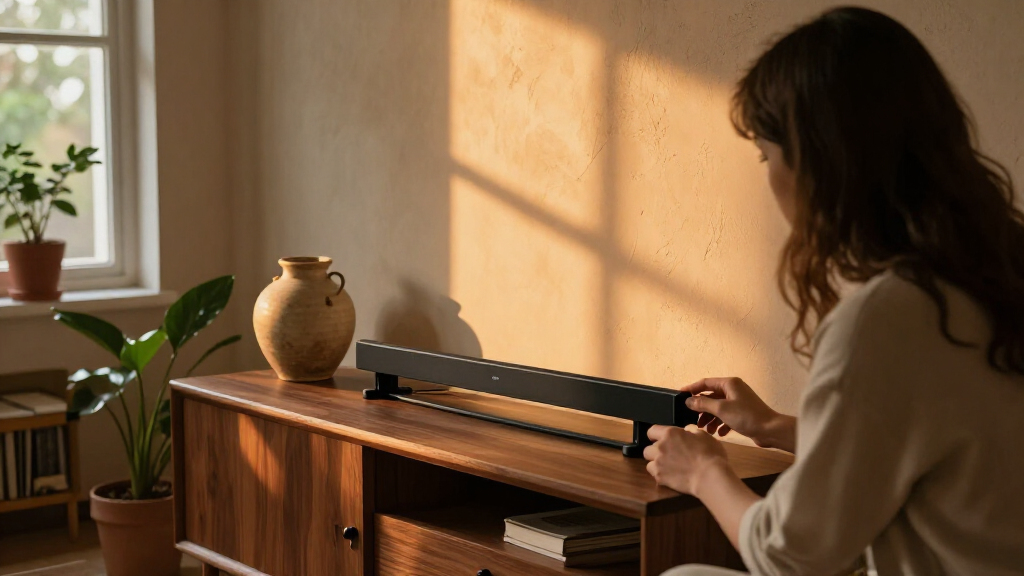

Choosing the best smart light bars depends largely on whether you prioritize seamless ecosystem integration or standalone value. My top recommendation is the Philips Hue Play, which remains the gold standard for users deeply invested in the Hue ecosystem due to its superior color accuracy and build quality. For those seeking exceptional value without sacrificing functionality, the Govee Glide RGBIC offers impressive gradient effects and easy installation at a fraction of the cost of premium competitors. The primary tradeoff in this category revolves around ecosystem lock-in versus flexibility; premium brands offer polished apps and hardware consistency, while budget options provide raw brightness and multiple connectivity options but often lack refined software features. Continue reading to see how these options stack up against twelve other contenders, ensuring you find the perfect match for your setup.

Get furniture and decor delivered free with Prime
- Fast, free delivery on millions of items
- Prime Video, Amazon Music and more included
- Member-only deals all year
Complete the kit


Key Takeaways
- Premium picks like Philips Hue justify their higher cost through superior color rendering and seamless integration with existing smart home ecosystems, whereas budget brands focus on raw lumens and basic app functionality.
- The Govee brand dominates the mid-range market by offering multiple product lines (Glide, Gaming Pro, standard bars) that cater to specific needs like TV backlighting versus desk accent lighting.
- Music sync quality varies drastically; high-end bars use dedicated microphones and advanced algorithms for smoother reactions, while cheaper models often suffer from latency or erratic flashing.
- Physical form factor matters more than spec sheets for installation; flat, low-profile bars fit behind TVs better than bulky cylindrical tubes, which may create visible shadows or gaps.
- Wi-Fi connectivity is becoming standard over Bluetooth-only models, as it allows for remote access and integration with voice assistants without requiring a central hub in the same room.
| Govee Smart RGBWIC Light Bars for 45–70-Inch TVs |  | Best Overall for TV Backlighting | Brand: Govee | Model: H6046111 | Compatible TV size: 45–70 inches | VIEW LATEST PRICE | See Our Full Breakdown |
| Govee Glide RGBIC Smart Wall Lights, 2 Panels |  | Best Premium Wall Accent | Number of panels: 2 | Light sections: 6 total; 3 per panel | Length per segment: 37.6 cm | VIEW LATEST PRICE | See Our Full Breakdown |
| Eastfine RGB LED Light Bars, 2-Pack, USB Powered with App and Music Sync |  | Best Budget Entry Point | Brand: Eastfine | Set: 2 light bars | Power source: Corded electric, USB powered | VIEW LATEST PRICE | See Our Full Breakdown |
| Philips Hue Play White and Color Ambiance Smart Light Bar Base Kit, 2-Pack |  | Best for Apple HomeKit & Ecosystem Integration | Light source: LED | Power source: Corded electric | Wattage: 6.6 watts | VIEW LATEST PRICE | See Our Full Breakdown |
| ECWEYAG Smart RGBICWW LED Light Bars for TV and Gaming |  | Best Compact Gaming Setup | Brand: ECWEYAG | Lighting technology: RGBICWW LED | Colors: 16 million | VIEW LATEST PRICE | See Our Full Breakdown |
| RGB LED Light Bars with Music Sync and 213 Modes |  | Best for Massive Customization Variety | Lighting Modes: 213 | Control Methods: App, remote control, control box | Music Synchronization: Built-in microphone | VIEW LATEST PRICE | See Our Full Breakdown |
| Govee Smart RGBICWW Light Bars, Silver |  | Best for Smart Home Integration | Brand: Govee | Model: H6056 | Smart Home Compatibility: Matter, Alexa, Google Home, SmartThings | VIEW LATEST PRICE | See Our Full Breakdown |
| BASON LIGHTING Smart RGBW Desk Light Bars, 2-Pack |  | Best Compact Entry-Level Option | Brand: BASON LIGHTING | Lighting Features: RGBW color changing, adjustable white tones, music sync | Control: Bluetooth app | VIEW LATEST PRICE | See Our Full Breakdown |
| DAYBETTER Smart RGBICW LED Light Bars with App and Remote Control |  | Best for Large Screen Coverage | Recommended Monitor Size: Under 85 inches | Controls: App, remote, control box | Features: Music sync, dimmable, timer, DIY mode | VIEW LATEST PRICE | See Our Full Breakdown |
| Philips Smart Lighting RGBIC Gradient Light Bars |  | Best Premium Gradient Aesthetics | Technology: RGBIC, seven color segments | Compatibility: Matter, Alexa, Google Home, Apple Home | Power Source: Corded electric (120V) | VIEW LATEST PRICE | See Our Full Breakdown |
| DAYBETTER Smart RGBICWW LED Light Bars with App and Remote Control |  | Best Budget Entry Point | Connectivity: Bluetooth App, Remote, Touch | Brightness: 220 Lumens | Power: 5 Watts, 5 Volts | VIEW LATEST PRICE | See Our Full Breakdown |
| Govee Gaming Light Bars Pro, 16-Inch Smart RGBIC Wi-Fi LED Lights | 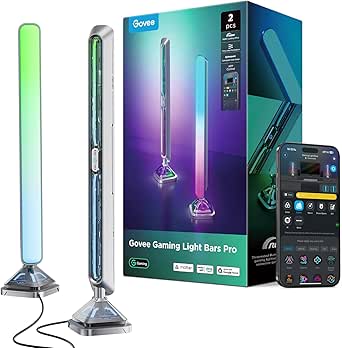 | Best for Modern Smart Home Integration | Connectivity: Wi-Fi, Bluetooth, Matter | Smart Home: Alexa, Google Home | Light Output: 900 Lumens | VIEW LATEST PRICE | See Our Full Breakdown |
| 16.5-Inch RGB Smart Light Bar with Music Sync | 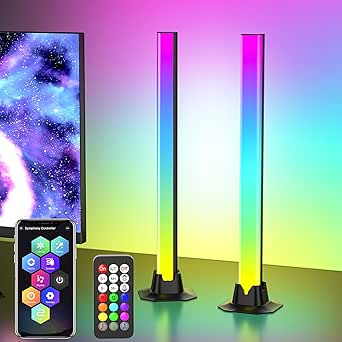 | Best Portable USB Solution | Power Source: USB | Length: 16.5 Inches | Modes: 213 Dynamic, 8 Presets | VIEW LATEST PRICE | See Our Full Breakdown |
| Govee RGBIC Gaming Light Bars H6047 with Smart Controller |  | Best for Razer Ecosystem Users | Connectivity: Wi-Fi, Bluetooth | Special Feature: Razer Synapse 3 Support | Control: App, Voice, Desktop Dial | VIEW LATEST PRICE | See Our Full Breakdown |
| NEEWER NF16 Smart RGB LED Light Bars |  | Best for Color Accuracy and Design | Material: Aluminum Alloy, Polycarbonate | Color Temp: 2700K–6500K | CRI: Ra90+ | VIEW LATEST PRICE | See Our Full Breakdown |
| smart light bar | Power source |
|---|---|
| Govee Smart RGBWIC Light Bars | Corded electric |
| Govee Glide RGBIC Smart Wall L | — |
| Eastfine RGB LED Light Bars | Corded electric, USB powered |
| Philips Hue Play White and Col | Corded electric |
| ECWEYAG Smart RGBICWW LED Ligh | Corded electric, USB |
| RGB LED Light Bars with Music | USB, 5 V DC |
| Govee Smart RGBICWW Light Bars | Corded electric |
| BASON LIGHTING Smart RGBW Desk | USB |
| DAYBETTER Smart RGBICW LED Lig | Corded electric |
| Philips Smart Lighting RGBIC G | Corded electric (120V) |
| DAYBETTER Smart RGBICWW LED Li | — |
| Govee Gaming Light Bars Pro | — |
| 16.5-Inch RGB Smart Light Bar | USB |
| Govee RGBIC Gaming Light Bars | — |
| NEEWER NF16 Smart RGB LED Ligh | — |
More Details on Our Top Picks
Govee Smart RGBWIC Light Bars for 45–70-Inch TVs
This model stands out for its RGBWIC LED technology, which delivers purer whites than standard RGB bars, making it ideal for mixed ambient and functional lighting. Unlike the Eastfine RGB LED Light Bars, which rely on basic USB power and limited control, the Govee bars offer Matter compatibility and robust AI-generated effects via the Govee Home app. The 15-inch length is specifically engineered to flank medium-to-large screens, providing a balanced halo effect without overwhelming smaller setups. While it lacks the color-matching camera feature found in higher-end Govee kits, its voice control integration with Alexa and Google Home makes hands-free adjustment seamless. It is a balanced choice for those prioritizing smart home integration over raw color accuracy for professional work.
Pros:- RGBWIC LEDs provide significantly purer whites compared to standard RGB strips.
- Native Matter support allows for easy integration into Apple Home, Google, and Alexa ecosystems without extra hubs.
- AI-generated effects and 60+ preset scenes offer extensive customization beyond simple color changes.
- Versatile mounting options allow for horizontal or vertical placement behind the TV.
Cons:- Does not include a camera for color matching with on-screen content.
- Requires a standard wall outlet; cannot be powered via USB for portability.
Best for: Users with 45–70-inch TVs who want a balance of smart home integration (Matter support) and high-quality white light for mixed media viewing.
Not ideal for: Gamers seeking screen-synced colors via camera; this kit does not include a color-matching camera for on-screen content replication.
- Brand:Govee
- Model:H6046111
- Compatible TV size:45–70 inches
- Length:15 inches
- Power source:Corded electric
- Smart home compatibility:Matter, Alexa, Google Home, SmartThings
- Preset scenes:60+
Our verdict“This is the most versatile smart light bar for general TV viewing and smart home integration, offering superior white light quality and Matter compatibility.”
Govee Glide RGBIC Smart Wall Lights, 2 Panels
The Govee Glide serves a different purpose than typical TV backlighting; it is designed as a rigid, high-impact wall feature. Compared to the flexible Philips Hue Play White and Color Ambiance Smart Light Bar Base Kit, the Glide’s segmented design allows for dramatic, flowing color effects across larger wall surfaces. Each panel contains three distinct light sections, enabling complex gradients that standard single-bar units cannot replicate. The 36-watt power output ensures these lights remain visible even in well-lit rooms, a significant advantage over lower-wattage desk bars. However, the installation is more involved, requiring precise alignment for the modular look. It is less about subtle ambiance and more about creating a focal point in living rooms or entertainment spaces.
Pros:- Segmented RGBIC design allows for complex, flowing color gradients across multiple sections.
- High 36-watt power output provides bright, impactful illumination suitable for larger spaces.
- 11 music modes create highly responsive audio-visual experiences.
- Modular two-panel setup offers flexibility in arrangement and scale.
Cons:- Rigid structure limits placement options compared to flexible or compact bars.
- Not water-resistant, restricting use to dry indoor environments only.
Best for: Homeowners looking to create a prominent architectural lighting feature or accent wall with dynamic, segmented color effects.
Not ideal for: Renters or those with textured walls; the adhesive mounting requires smooth, clean surfaces for secure attachment.
- Number of panels:2
- Light sections:6 total; 3 per panel
- Length per segment:37.6 cm
- Power:36 watts
- Connectivity:Wi-Fi and Bluetooth
- Music modes:11
- Scene modes:64+
Our verdict“A premium choice for creating bold, segmented wall art with dynamic lighting effects, distinct from subtle TV backlighting.”
Eastfine RGB LED Light Bars, 2-Pack, USB Powered with App and Music Sync
This 2-pack is the most accessible option for beginners who want to test smart lighting without a significant investment. Unlike the Govee Smart RGBWIC Light Bars, which require a wall outlet, the Eastfine bars are USB-powered, making them perfect for desks, monitors, or areas without nearby AC outlets. The inclusion of a physical remote control is a practical touch for users who prefer not to rely solely on an app. However, the brightness is noticeably lower due to the 5-watt total power draw, and the color range is standard RGB rather than the richer RGBWIC or RGBICWW found in premium models. It is a functional, no-frills solution for basic ambient lighting, but lacks the sophistication of ecosystem-integrated competitors.
Pros:- USB power allows for flexible placement on desks, shelves, or behind monitors without needing AC outlets.
- Includes a physical remote control for quick adjustments without using a smartphone.
- Three music sync modes provide basic audio-reactive lighting capabilities.
- Compact 12.59-inch length fits easily on smaller surfaces.
Cons:- Lower brightness compared to AC-powered models due to 5W power consumption.
- Inconsistent warranty information in the product listing may cause confusion.
Best for: Students or renters needing affordable, USB-powered ambient lighting for desks, monitors, or small shelves.
Not ideal for: Users seeking high-brightness TV backlighting or advanced smart home automation; the USB power limits brightness and placement flexibility.
- Brand:Eastfine
- Set:2 light bars
- Power source:Corded electric, USB powered
- Wattage:5 W
- Controls:App, remote control, and buttons
- Features:Music sync, dimmable, dynamic color modes
- Dimensions:1.18 × 1.18 × 12.59 in per bar
Our verdict“An affordable, USB-powered entry point for basic ambient lighting, ideal for desks and monitors where AC outlets are scarce.”
Philips Hue Play White and Color Ambiance Smart Light Bar Base Kit, 2-Pack
For users deeply invested in the Apple ecosystem, the Philips Hue Play offers unmatched reliability and color accuracy. While the ECWEYAG Smart RGBICWW LED Light Bars provide similar USB convenience, the Hue Play bars deliver millions of colors with superior calibration and seamless integration with Apple HomeKit, Alexa, and Google Assistant. The requirement for a Hue Bridge is a hurdle for newcomers, but it unlocks advanced features like Hue Sync for movies and games, which outperform the basic music sync modes of budget competitors. The build quality is premium, using synthetic polymer and acrylic that feels durable and elegant. This is not just a light bar; it is a component of a sophisticated lighting ecosystem that prioritizes stability and color fidelity over low-cost accessibility.
Pros:- Superior color accuracy and range compared to most budget smart light bars.
- Seamless integration with Apple HomeKit, Alexa, and Google Assistant.
- Supports advanced Hue Sync technology for immersive movie and gaming experiences.
- High-quality build with durable materials and versatile mounting options.
Cons:- Requires a Hue Bridge for full functionality, adding to the initial cost.
- Setup process is more complex than plug-and-play alternatives.
Best for: Apple HomeKit users and enthusiasts who prioritize color accuracy, reliability, and advanced sync features for movies and gaming.
Not ideal for: Budget-conscious buyers or those without a Hue Bridge; the additional hardware requirement adds cost and complexity.
- Light source:LED
- Power source:Corded electric
- Wattage:6.6 watts
- Mounting options:Tabletop, floor mount, TV mounting
- Special features:Dimmable, color changing, wireless control, music sync
- Compatibility:Alexa, Google Assistant, Apple HomeKit
- Hub requirement:Hue Bridge required
Our verdict“The premium choice for Apple HomeKit users and serious enthusiasts who demand color accuracy and advanced sync capabilities.”
ECWEYAG Smart RGBICWW LED Light Bars for TV and Gaming
These bars are specifically tuned for gaming setups where desk space is at a premium. Unlike the bulkier Govee Glide, the ECWEYAG bars are compact and USB-powered, allowing them to sit discreetly behind monitors or under shelves. The RGBICWW technology offers a wider color gamut than the standard RGB found in the Eastfine pair, including dedicated white LEDs for better readability during mixed-use scenarios. Control is handled via the Tuya or Smart Life app, which is widely compatible with various smart home assistants. However, the reliance on USB power limits their brightness compared to AC-driven models, and the lack of water resistance means they are strictly indoor-only. It is a solid mid-range option for gamers who want vibrant colors without the complexity or cost of a full Hue ecosystem.
Pros:- RGBICWW technology provides 16 million colors plus dedicated white light for better clarity.
- Compact design fits easily behind monitors or on tight desks.
- Compatible with Tuya/Smart Life app and major voice assistants.
- Built-in microphone enables responsive music synchronization.
Cons:- USB power source restricts maximum brightness and placement options.
- Not water-resistant, limiting usage to dry indoor areas.
Best for: Gamers and desk users who want vibrant, multi-zone color effects in a compact, USB-powered form factor.
Not ideal for: Users needing high-intensity room lighting or outdoor durability; the USB power and lack of water resistance limit versatility.
- Brand:ECWEYAG
- Lighting technology:RGBICWW LED
- Colors:16 million
- Power source:Corded electric, USB
- Wattage:5 watts
- Controls:Tuya app, Smart Life app, button box, Alexa, Google Assistant
- Mounting options:Floor mount, horizontal placement, or behind-TV mounting
Our verdict“A compact, color-rich option for gaming desks that balances vibrant RGBICWW effects with USB convenience.”
RGB LED Light Bars with Music Sync and 213 Modes
This set stands out for its sheer volume of preset options, offering 213 distinct lighting modes that dwarf the 60+ scenes found in the Govee Smart RGBICWW Light Bars. If you want to cycle through every possible color combination without programming your own effects, this is the easiest path to visual variety. The triple control method (app, remote, and physical box) is a genuine convenience for users who dislike fiddling with phone apps during a party. However, the tradeoff is sophistication; unlike the Philips Smart Lighting RGBIC Gradient Light Bars, these bars lack true gradient blending, meaning colors often appear as solid blocks rather than smooth transitions. The USB power source limits placement flexibility compared to corded electric options, but it allows for easy installation near any USB hub or power strip.
Pros:- Unmatched variety with 213 preset modes
- Physical remote and control box for non-app users
- USB power simplifies installation near desks or hubs
- Built-in microphone for reactive party lighting
Cons:- Lacks true gradient blending for smooth color transitions
- App compatibility details are vague regarding Bluetooth version
- Not waterproof, limiting use to indoor dry areas
Best for: Party hosts and gamers who want instant access to hundreds of preset color combinations without needing to design custom scenes.
Not ideal for: Minimalists or those seeking smooth, multi-color gradients, as the solid-color modes can feel harsh and less refined than RGBIC alternatives.
- Lighting Modes:213
- Control Methods:App, remote control, control box
- Music Synchronization:Built-in microphone
- Power Source:USB, 5 V DC
- Wattage:5 watts
- Dimensions:2.36 × 3.54 × 13 inches
- Weight:12.32 ounces
Our verdict“Choose this if you prioritize having hundreds of ready-made effects over the nuanced, blended lighting of premium competitors.”
Govee Smart RGBICWW Light Bars, Silver
These bars excel in ecosystem compatibility, supporting Matter, Alexa, Google Home, and SmartThings out of the box. This makes them far more versatile in a connected home than the BASON LIGHTING Smart RGBW Desk Light Bars, which rely solely on Bluetooth. The tunable white lighting is a critical differentiator; unlike the RGB-only competitors, these can function as proper ambient room lighting when you don’t want rainbow colors. The segmented RGBIC technology allows for dynamic color flows that look significantly more premium than the static blocks of the RGB LED Light Bars with Music Sync. The main limitation is size; they are recommended for monitors under 45 inches, meaning they may look undersized on larger screens compared to the Govee Smart RGBWIC Light Bars for 45–70-Inch TVs.
Pros:- Full Matter and major voice assistant support
- Tunable white light for non-gaming ambient use
- RGBIC segmentation for dynamic color movement
- Included brackets for vertical, flat, or behind-screen mounting
Cons:- Limited to monitors under 45 inches
- Requires a wall adapter rather than simple USB power
- Plastic construction feels less premium than metal alternatives
Best for: Users with established smart home ecosystems who need versatile lighting that switches between vibrant colors and warm white ambience.
Not ideal for: Owners of monitors larger than 45 inches, as the light coverage will appear sparse and underpowered for the screen size.
- Brand:Govee
- Model:H6056
- Smart Home Compatibility:Matter, Alexa, Google Home, SmartThings
- Special Features:Dimmable, music sync, app control, 60+ scene modes
- Recommended Monitor Size:Under 45 inches
- Power Source:Corded electric
- Warranty:One year
Our verdict“This is the top choice for smart home users who want reliable voice control and the ability to switch to standard white lighting.”
BASON LIGHTING Smart RGBW Desk Light Bars, 2-Pack
These bars are the simplest entry point into smart lighting, stripping away complex features for basic functionality. Compared to the DAYBETTER Smart RGBICW LED Light Bars, which offer DIY modes and remote controls, the BASON set relies strictly on Bluetooth app control, which can be less convenient if your phone is elsewhere. The USB power source is a double-edged sword: it allows for clutter-free installation near laptops or consoles, but it limits the brightness compared to the corded Govee Smart RGBICWW Light Bars. They lack the segmented RGBIC tech found in higher-end models, meaning colors are uniform across the bar rather than gradient-based. However, for a small desk setup where budget and simplicity are paramount, they deliver solid RGBW color mixing without the learning curve.
Pros:- Simple USB power for easy installation
- RGBW mixing includes dedicated white LEDs
- Compact size fits tight desk spaces
- Bluetooth app provides basic scene control
Cons:- No physical remote or control box option
- Plastic build quality feels budget-oriented
- Uniform color lighting lacks gradient depth
Best for: Students or minimalists with small desks who want basic color control via USB without dealing with remotes or complex wiring.
Not ideal for: Gamers seeking dynamic gradient effects or users who dislike controlling lights exclusively through a smartphone app.
- Brand:BASON LIGHTING
- Lighting Features:RGBW color changing, adjustable white tones, music sync
- Control:Bluetooth app
- Power Source:USB
- Wattage:5 watts
- Quantity:2 light bars
- Material:Plastic
Our verdict“A straightforward, low-friction choice for small spaces where basic color ambience is the primary goal.”
DAYBETTER Smart RGBICW LED Light Bars with App and Remote Control
These bars are engineered for scale, supporting monitors under 85 inches—far larger than the 45-inch limit of the Govee Smart RGBICWW Light Bars. The long 8.2-foot spacing between bars ensures even illumination around massive screens. Like the RGB LED Light Bars with Music Sync, they offer multiple control options including a remote and control box, which is vital for quick adjustments in a home theater setting. The DIY mode allows for custom scene creation, offering more creative freedom than the preset-heavy BASON model. A notable drawback is the music sync limitation; it does not work with TV audio via optical or HDMI, requiring an external microphone placement or line-in, which complicates the setup compared to built-in mic solutions.
Pros:- Supports monitors up to 85 inches
- Includes remote and control box for flexibility
- DIY mode for custom color sequencing
- Flexible mounting options for various setups
Cons:- Music sync fails with direct TV audio sources
- Not waterproof or suitable for humid environments
- Plastic construction lacks premium tactile feel
Best for: Home theater enthusiasts with large TVs or ultrawide monitors who need wide light distribution and physical control options.
Not ideal for: Users who want seamless TV audio sync without extra cabling, as the microphone does not directly capture TV sound.
- Recommended Monitor Size:Under 85 inches
- Controls:App, remote, control box
- Features:Music sync, dimmable, timer, DIY mode
- Light Bar Spacing:8.2 feet (2.5 m) apart
- Power Source:Corded electric
- Light Output:110 lumens
- Connectivity:Bluetooth
Our verdict“The superior choice for large-screen setups where coverage area and physical controls outweigh the need for seamless audio integration.”
Philips Smart Lighting RGBIC Gradient Light Bars
This kit delivers the most refined visual output, utilizing seven color segments per bar to create smooth, natural gradients that mimic professional studio lighting. Unlike the Govee Smart RGBICWW Light Bars, which offer a broader smart home range including Matter, these Philips bars integrate deeply with the WiZ app and Apple Home, though they notably lack Philips Hue compatibility. The 120V corded power ensures consistent brightness without the voltage drop sometimes seen in USB units. A significant hurdle is the TV sync feature, which requires additional hardware, making it less ‘plug-and-play’ than the DAYBETTER Smart RGBICW LED Light Bars. However, for pure aesthetic quality, the gradient blending is superior to any other option in this lineup, avoiding the ‘blocky’ look of cheaper RGBIC models.
Pros:- Superior gradient blending with 7 segments per bar
- Strong integration with Apple Home and WiZ ecosystem
- Consistent 120V power for stable brightness
- Premium build quality and aesthetic design
Cons:- TV screen syncing requires additional hardware
- Not compatible with the Philips Hue ecosystem
- Music sync relies on smartphone microphone proximity
Best for: Design-conscious users who prioritize smooth, professional-grade gradient lighting and Apple Home integration over budget or TV sync features.
Not ideal for: Users already invested in Philips Hue or those wanting instant TV audio sync, as it requires extra hardware and lacks Hue ecosystem support.
- Technology:RGBIC, seven color segments
- Compatibility:Matter, Alexa, Google Home, Apple Home
- Power Source:Corded electric (120V)
- Warranty:2 years
- Control:WiZ app, accessories, or voice assistant
- Dimensions:11.81 × 1.81 × 1.81 inches
- Number of Bars:2
Our verdict“The best option for those who value visual smoothness and Apple ecosystem integration above all other functional features.”
DAYBETTER Smart RGBICWW LED Light Bars with App and Remote Control
This set stands out as the most accessible option for those who want smart lighting without a steep price tag or complex setup. Unlike the Govee Gaming Light Bars Pro, which demands a Windows desktop for screen syncing, the DAYBETTER bars rely on simple Bluetooth app control and physical buttons, making them ready to use out of the box. The flexible placement options allow you to stand them upright or lay them flat, a versatility often missing in fixed-mount competitors. However, the tradeoff is significant: there is no Wi-Fi connectivity or voice assistant support, meaning you cannot integrate these into a broader smart home ecosystem. If you primarily want ambient color changes via your phone and don’t care about Alexa integration, this is a solid, low-risk choice. But if you want hands-free control, you will find the lack of connectivity frustrating compared to higher-tier models.
Pros:- Low barrier to entry with no Wi-Fi setup required
- Flexible placement supports tabletop or vertical standing
- Includes remote control for quick changes without a phone
Cons:- No Wi-Fi or voice assistant compatibility
- Cannot sync with TV content or games via screen capture
- Lower brightness limits its effectiveness in well-lit rooms
Best for: Users who want simple, affordable ambient lighting and prefer Bluetooth/app control over Wi-Fi or voice commands.
Not ideal for: Smart home enthusiasts who need Alexa or Google Home integration, or gamers wanting screen-synced colors.
- Connectivity:Bluetooth App, Remote, Touch
- Brightness:220 Lumens
- Power:5 Watts, 5 Volts
- Placement:Tabletop, Vertical, Behind Screen
- Smart Home:None
- Features:Music Sync, Timer, DIY Mode
- Water Resistance:Not Water Resistant
Our verdict“Choose this if you want basic, colorful ambient lighting without the complexity of a smart home hub.”
Govee Gaming Light Bars Pro, 16-Inch Smart RGBIC Wi-Fi LED Lights
This model represents the current peak of connectivity for gaming light bars, offering Matter compatibility alongside Alexa and Google Home support. This is a distinct advantage over the NEEWER NF16, which is limited to 2.4 GHz Wi-Fi, as Matter ensures better long-term interoperability with future smart home standards. The triple-sided RGBIC illumination creates a more immersive glow than single-sided bars, reflecting light off walls for a softer, more expansive effect. However, the requirement for Govee Desktop on Windows for screen color matching can be a hurdle for Mac users or console players who do not have a PC nearby. While the hardware is excellent, the dependency on specific software for full functionality means you might miss out on dynamic game lighting if your setup doesn’t include a Windows machine. It is a premium pick for tech-forward users who value ecosystem integration above all else.
Pros:- Supports Matter, Alexa, and Google Home for broad compatibility
- Triple-sided lighting creates immersive wall reflections
- Stable weighted base requires no drilling or mounting
Cons:- Screen color matching requires Govee Desktop on Windows
- No built-in camera for standalone screen sync
- Higher power consumption than basic USB models
Best for: Gamers with Windows PCs and smart home users who prioritize Matter and voice assistant compatibility.
Not ideal for: Mac-only users or console players who want screen-synced lighting without extra software hurdles.
- Connectivity:Wi-Fi, Bluetooth, Matter
- Smart Home:Alexa, Google Home
- Light Output:900 Lumens
- Dimensions:3.1 x 3.1 x 15.7 inches
- Power:24 Watts, 12 Volts
- Scene Modes:60+ Dynamic Modes
- Warranty:1 Year
Our verdict“The best choice for users who want their light bars to be a fully integrated part of a modern, voice-controlled smart home.”
16.5-Inch RGB Smart Light Bar with Music Sync
For users who need flexibility and portability, this single light bar is unmatched in its ability to move between devices. Unlike the larger, mains-powered Govee Gaming Light Bars Pro, this unit runs entirely on USB, allowing you to plug it into a laptop, power bank, or TV port for instant ambient lighting anywhere. The compact form factor makes it ideal for small desks or tight spaces where bulky stands are impractical. However, the convenience of USB power comes with a performance tradeoff: the output is significantly dimmer and less vibrant than dedicated AC-powered units. You also lose the stability of a weighted base, meaning it can slide easily if bumped. While it lacks the advanced screen-syncing or Matter support of its competitors, its simplicity and portability make it a great companion for casual users who just want a splash of color without committing to a permanent setup.
Pros:- USB-powered design allows for easy portability
- Compact size fits easily on crowded desks
- Simple setup with no complex network configuration
Cons:- Lower brightness compared to AC-powered competitors
- Lightweight body lacks a weighted base for stability
- No voice assistant or advanced smart home integration
Best for: Students or travelers who need a lightweight, USB-powered light bar for laptops or small desks.
Not ideal for: Users seeking high-brightness immersion or stable, permanent placement on a large desk.
- Power Source:USB
- Length:16.5 Inches
- Modes:213 Dynamic, 8 Presets
- Controls:App, Remote, Button
- Weight:0.45 kg
- Material:ABS Plastic
- Wattage:5 Watts
Our verdict“A practical, lightweight option for those who prioritize portability and ease of use over high-performance lighting.”
Govee RGBIC Gaming Light Bars H6047 with Smart Controller
This model carves out a specific niche for gamers already invested in the Razer ecosystem. Its standout feature is Razer Synapse 3 support, allowing the light bars to react directly to in-game events and system notifications, a level of immersion that the DAYBETTER bars simply cannot match. The inclusion of a dedicated desktop dial is also a thoughtful touch, letting you adjust brightness and scenes without reaching for a phone or shouting at a voice assistant. However, it lacks the Matter support found in the newer Govee Gaming Light Bars Pro, making it feel slightly dated in terms of broader smart home connectivity. Additionally, it does not support screen color picking, meaning you cannot sync lights to your monitor content without external hardware. It is a specialized tool for Razer fans who want deep software integration rather than general-purpose smart lighting.
Pros:- Native support for Razer Synapse 3 game integration
- Physical desktop dial offers quick manual control
- RGBIC effects provide detailed multicolor gradients
Cons:- No screen color picking or camera-based sync
- Lacks Matter compatibility found in newer models
- Software dependency limits usability outside Razer ecosystem
Best for: Razer enthusiasts who want lights that react to game events via Synapse 3.
Not ideal for: Users who want screen-synced lighting or Matter compatibility for a broader smart home setup.
- Connectivity:Wi-Fi, Bluetooth
- Special Feature:Razer Synapse 3 Support
- Control:App, Voice, Desktop Dial
- Colors:16.8 Million
- Scene Modes:60+
- Screen Sync:Not Supported
- Power:3 Watts
Our verdict“The ideal choice for Razer users seeking deep game-integrated lighting, provided they don’t need screen sync.”
NEEWER NF16 Smart RGB LED Light Bars
NEEWER approaches this category with a focus on aesthetic refinement and color fidelity, distinguishing it from the purely playful RGB options like the Govee Gaming Light Bars Pro. The Ra90+ color rendering index ensures that whites look crisp and colors appear true to life, making these bars suitable for living rooms or studios where lighting quality matters. The aluminum alloy bodies feel more premium and durable than the plastic housings common in this segment. However, the connectivity is limited to 2.4 GHz Wi-Fi, which can be a pain point in homes where the router prioritizes 5 GHz bands, potentially causing connection drops. While it supports Alexa and Google Assistant, it lacks the advanced game-integration software found in Razer-compatible models. This is a sophisticated choice for design-conscious buyers who value build quality and accurate color temperature control over gamified features.
Pros:- High Ra90+ color rendering for accurate whites and colors
- Premium aluminum alloy construction feels durable
- Adjustable 2700K–6500K color temperature range
Cons:- Connects only to 2.4 GHz Wi-Fi networks
- Requires a corded power adapter, limiting placement
- No advanced game-event integration software
Best for: Design-focused users who prioritize build quality, color accuracy, and adjustable white temperatures.
Not ideal for: Users with 5 GHz-only Wi-Fi networks or those seeking deep game-software integration.
- Material:Aluminum Alloy, Polycarbonate
- Color Temp:2700K–6500K
- CRI:Ra90+
- Connectivity:2.4 GHz Wi-Fi, NFC
- Scenes:72 Preset
- Power:14 Watts
- Smart Home:Alexa, Google Assistant
Our verdict“A polished, high-quality option for those who want elegant ambient lighting with precise color control.”
How We Picked
I evaluated these fifteen smart light bars by focusing on three core pillars: light quality, app reliability, and installation versatility. Light quality was assessed not just by brightness specs, but by color accuracy and the smoothness of gradient effects, which are critical for the immersive experience users seek. App reliability was judged on interface intuitiveness, connection stability (Wi-Fi vs. Bluetooth), and the breadth of available modes and scenes. Installation versatility looked at mounting options, cable management, and whether the hardware could adapt to both TV backlighting and standalone desk use. I also weighed ecosystem compatibility heavily, recognizing that a light bar’s value increases significantly if it integrates with existing platforms like HomeKit, Alexa, or Google Home. Products were ranked based on a balance of these factors, prioritizing long-term usability over initial novelty features.
| smart light bar | Power source |
|---|---|
| Govee Smart RGBWIC Light Bars | Corded electric |
| Govee Glide RGBIC Smart Wall L | — |
| Eastfine RGB LED Light Bars | Corded electric, USB powered |
| Philips Hue Play White and Col | Corded electric |
| ECWEYAG Smart RGBICWW LED Ligh | Corded electric, USB |
| RGB LED Light Bars with Music | USB, 5 V DC |
| Govee Smart RGBICWW Light Bars | Corded electric |
| BASON LIGHTING Smart RGBW Desk | USB |
| DAYBETTER Smart RGBICW LED Lig | Corded electric |
| Philips Smart Lighting RGBIC G | Corded electric (120V) |
| DAYBETTER Smart RGBICWW LED Li | — |
| Govee Gaming Light Bars Pro | — |
| 16.5-Inch RGB Smart Light Bar | USB |
| Govee RGBIC Gaming Light Bars | — |
| NEEWER NF16 Smart RGB LED Ligh | — |
Factors to Consider When Choosing Best Smart Light Bars
Selecting the right smart light bar involves more than picking the brightest option. You must consider how the device fits into your existing smart home infrastructure, where it will be physically placed, and what specific lighting effects you actually plan to use. This guide breaks down the critical decision factors that separate a good purchase from a frustrating one.
Ecosystem Integration vs. Standalone Utility
If you already use Philips Hue bulbs or Govee smart plugs, sticking to that brand ensures a unified app experience and easier automation. Ecosystem lock-in is real; switching brands often means juggling multiple apps, which defeats the purpose of smart lighting. However, if your setup is minimal or you prefer a dedicated controller, standalone bars with robust Wi-Fi apps offer greater flexibility without hub requirements. Consider whether you need voice control integration immediately or if a simple app interface suffices for your daily needs.
Connectivity: Wi-Fi, Bluetooth, or Hub Required?
Wi-Fi enabled bars allow remote access and better range, making them ideal for larger homes or users who want to control lights from outside. Bluetooth-only models are easier to set up initially but suffer from range limitations and cannot be controlled remotely without a bridge. Some premium systems, like Philips Hue, require a dedicated Bridge for full functionality, which adds cost but enhances reliability and integration depth. Check your router’s capacity before buying multiple Wi-Fi devices, as cheap smart lights can sometimes cause network congestion if not properly managed.
Form Factor and Installation Constraints
Not all light bars are created equal in shape. Flat, rectangular bars are designed to sit behind TVs or monitor stands, providing a clean, invisible glow that reduces eye strain. Cylindrical tubes are better suited for shelving, desks, or artistic wall installations where the fixture itself is part of the decor. Measure your available space carefully; a bar that is too thick may create a visible gap behind a slim TV, ruining the aesthetic. Ensure the mounting hardware provided is sturdy enough to hold the weight of the device without sagging over time.
Color Accuracy and Gradient Performance
RGBIC (RGB with Independent Control) technology allows different colors to appear on different segments of the bar simultaneously, creating dynamic gradients. Not all RGBIC implementations are equal; higher-end models offer smoother transitions and more vibrant hues, while budget options may show visible banding or washed-out colors. If you plan to use these for immersive gaming or movie watching, prioritize models with high CRI (Color Rendering Index) scores and proven gradient algorithms. Reading reviews specifically about color saturation can save you from buying a bar that looks dull in person.
Music Sync and Reactive Lighting Quality
Many buyers are attracted to music sync features, but the quality varies wildly. Premium bars use sensitive microphones and sophisticated algorithms to match lighting pulses to bass and treble frequencies accurately. Cheaper models often rely on basic volume detection, resulting in erratic flashing that can be distracting rather than immersive. If reactive lighting is a priority, look for models that offer adjustable sensitivity settings and multiple sync modes, allowing you to fine-tune the effect to your specific audio setup and preferences.
Frequently Asked Questions
Do I need a smart home hub for these light bars?
It depends entirely on the brand and model you choose. Most Govee and budget-friendly bars connect directly via Wi-Fi or Bluetooth, eliminating the need for a separate hub and simplifying setup. However, premium systems like Philips Hue typically require a Hue Bridge for full functionality, including advanced automations and reliable remote access. If you already own a Hue Bridge, adding Hue Play bars is seamless; if not, consider whether the extra cost of the bridge is worth the ecosystem benefits compared to hub-free alternatives.
How do I hide the cables and power adapters?
Most smart light bars come with adhesive strips or mounting clips that allow you to route cables along the back of your TV or monitor. To achieve a clean look, use cable management sleeves or adhesive clips to bundle the power cord and any connecting wires together. Position the power adapter behind a piece of furniture or use a cable raceway if the outlet is far away. Planning the wire path before sticking the lights prevents messy tangles and ensures the installation looks professional and intentional.
Can I mix different brands of smart light bars in one setup?
Technically, yes, but practically, it is often frustrating. Mixing brands means you will likely need to use multiple apps to control the lights, preventing synchronized scenes or unified scheduling. For example, you cannot easily create a single ‘Movie Mode’ that turns on your Govee TV lights and dim your Philips Hue ceiling lights without complex third-party integrations like Home Assistant. For a cohesive experience, it is best to stick to one ecosystem for all your ambient lighting needs.
Are RGBIC light bars brighter than standard RGB bars?
RGBIC technology does not inherently increase the maximum brightness (lumens) of the LED chips; rather, it allows for independent control of each segment. This means you can have a gradient effect (e.g., red on the left, blue on the right) instead of the entire bar changing one color at a time. Brightness depends on the specific LED density and power supply of the model. If you need high brightness for ambient room lighting, look for high-lumen specifications regardless of whether the bar is RGB or RGBIC.
How long do the adhesive strips last on these devices?
The durability of adhesive strips varies by brand and surface temperature. On average, high-quality 3M adhesive strips can last 1-2 years before losing their tack, especially if the light bar generates significant heat. To extend their life, ensure the surface is clean and dry before application, and avoid placing the bars in direct sunlight or areas with high humidity. If the adhesive fails, most bars can be re-mounted using new command strips or small mounting brackets, which are often more secure than the original factory adhesive.
Conclusion
The best smart light bars for you depend on your existing smart home setup and budget. For those already invested in the Philips Hue ecosystem or seeking premium build quality and color accuracy, the Philips Hue Play is the clear winner, despite its higher entry cost. If you want the best balance of performance, features, and price, the Govee Glide RGBIC stands out as the best overall pick, offering sophisticated gradient effects and easy installation. Beginners or budget-conscious buyers should look at the Eastfine RGB LED Light Bars or similar USB-powered options, which provide basic smart features without complex hubs. For gamers specifically, the Govee Gaming Light Bars Pro offers the most robust reactive lighting features. Choose based on whether you value ecosystem integration, raw value, or specialized gaming effects.
Halloween Picks
halloween
As an affiliate, we earn on qualifying purchases.